
Everything a counter needs
Built for kirana stores, tea stalls, pharmacies and salons — anyone who takes UPI and can't keep checking the phone.
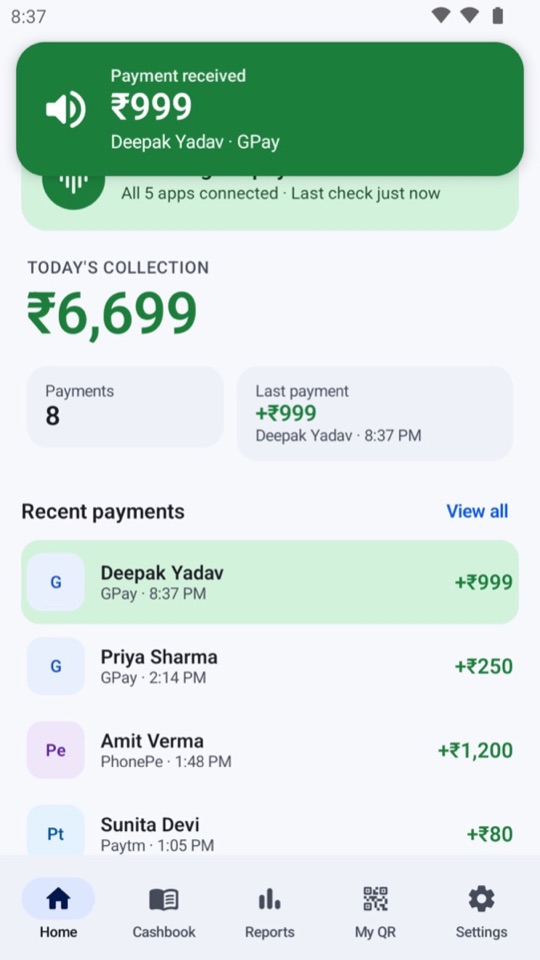
Each incoming payment is spoken aloud with a short chime, so you hear it even in a busy shop — with the screen off and the phone in a drawer.
Hindi, Hinglish, Bengali, Tamil, Telugu, Marathi, Gujarati, Kannada, Malayalam, Odia, Assamese, Punjabi and English — the announcements and the whole app.
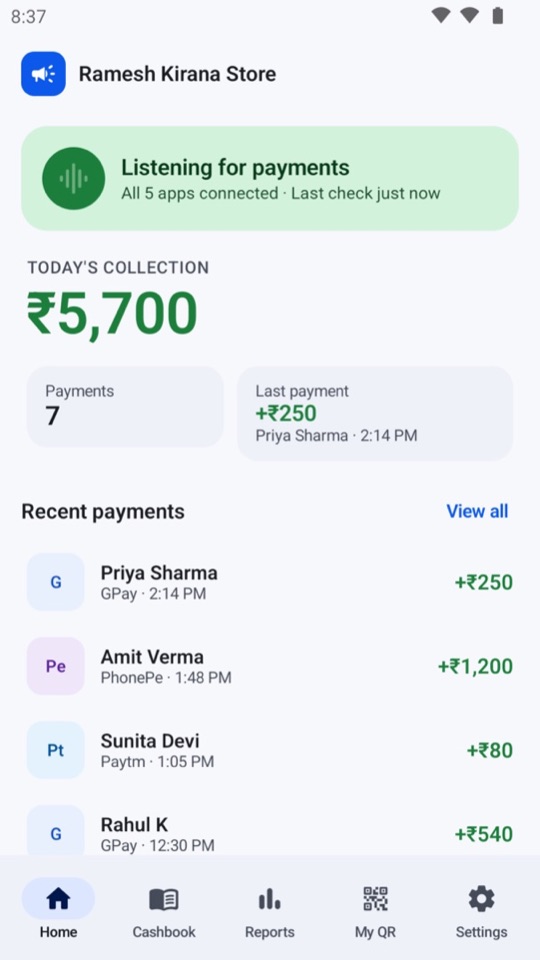
See today's total, the number of payments, and every credit with the payer's name, the app it came through and the time.
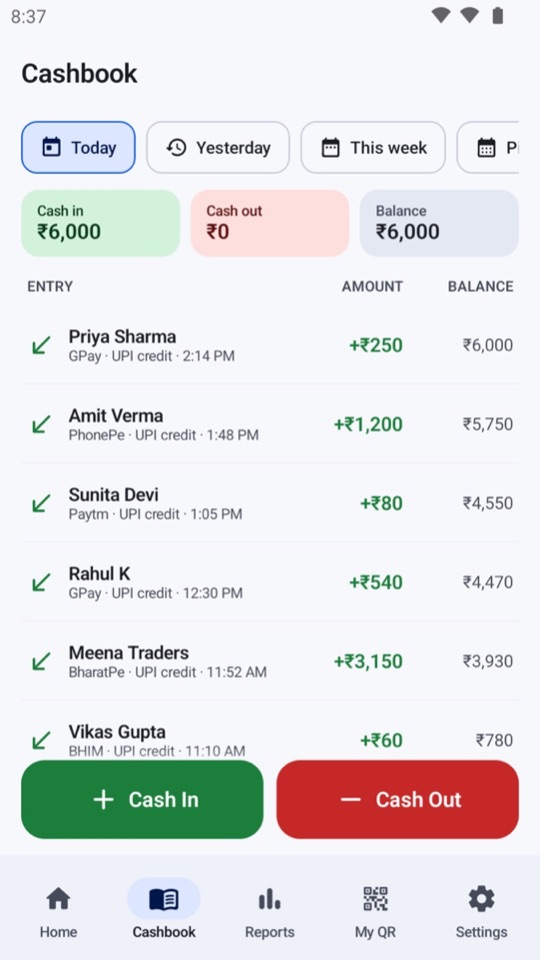
UPI payments are added automatically. Add cash sales and expenses in two taps and always know your balance.
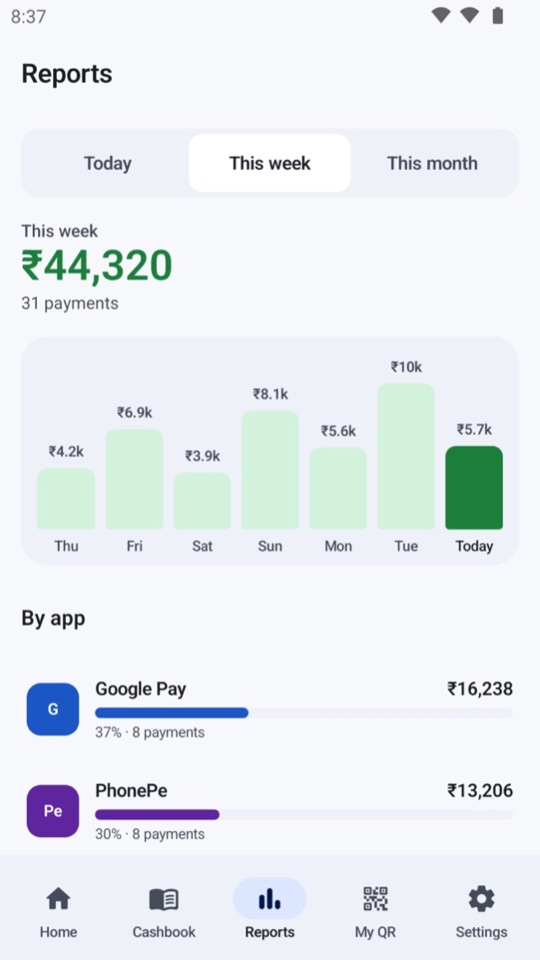
Sales by day and by app for today, this week or this month. Export a PDF whenever you need one.
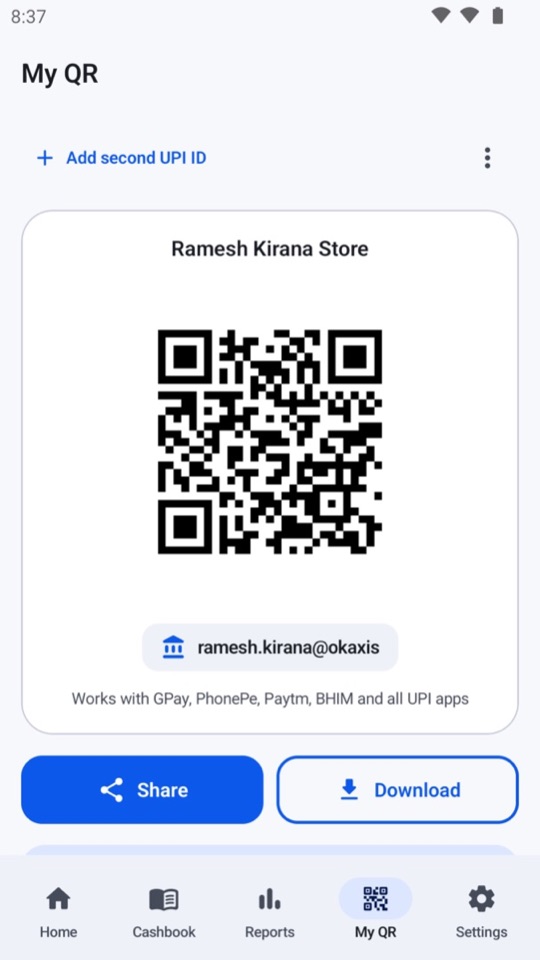
Save your UPI ID once to get a scannable QR. Share it, download it, or add it to your home screen.
AI UPI Alert is not a bank or payment app. It never asks for your UPI PIN, card or bank details, and it cannot send or receive money. It only reads the payment notifications your UPI and bank apps already show, with your permission, and speaks them aloud.
Ready in 2 minutes
Setup walks you through each step, and the app checks that everything is in place before it starts listening.
Pick from 13 Indian languages. Announcements and the app switch instantly.
This is how the app hears “₹250 received” from Google Pay, PhonePe, Paytm and the rest.
Turn on the always-on alert and let it run in the background, so announcements work with the screen off.
Aapki bhasha mein
Announcements and the whole app in the language your customers — and you — speak.
Questions
Does the app handle my money?
No. It never asks for your UPI PIN, card or bank details, and it cannot send or receive money. It only reads the payment notifications your UPI and bank apps show, with your permission, and speaks them aloud.
Why does it need notification access?
Payment apps tell you about a credit through a notification. Notification access lets the app see those notifications so it can announce them. It only processes notifications from supported payment and bank apps and ignores everything else.
Why the always-on notification and battery permission?
Android stops apps in the background to save battery. The small always-on notification and the battery exemption keep announcements working all day, even with the screen off.
What if my phone is Xiaomi, Oppo, Vivo or OnePlus?
These phones stop background apps more aggressively. Setup takes you straight to the Autostart setting you need to turn on.
Will it announce a payment if I don't get a notification?
No. The app can only announce what your phone receives. Keep notifications turned on in your UPI and bank apps — and always confirm important payments in your bank or UPI app before handing over goods.
How do I cancel my subscription?
Open Play Store → tap your profile → Payments & subscriptions → Subscriptions → AI UPI Alert → Cancel. You can also reach this from Settings → Plan in the app. You keep access until the end of the period you paid for.
How do I delete my data?
See how to delete your data, or write to us at auspoapps@gmail.com.
Never miss a payment again
No hardware to buy or rent. Start with a free trial, then one simple monthly subscription, billed and managed by Google Play — the exact price and your first charge date are shown before you confirm, and you can cancel any time. What the app stores and why is set out in the privacy policy.