
The register, without the register
Everything you used to keep in a notebook — who came, who took an advance, what is owed at month end — in a form that adds itself up.
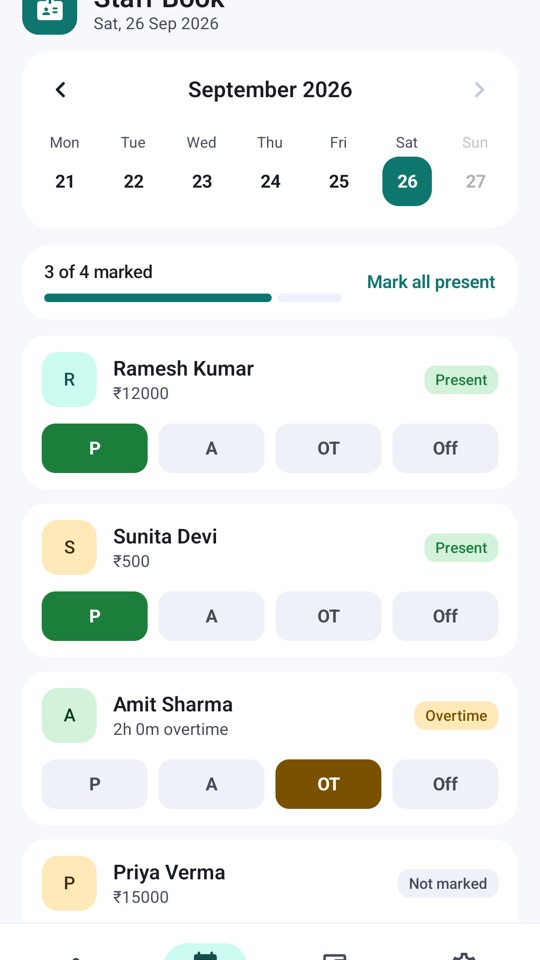
One tap per person: Present, Absent, Overtime or Off. Add overtime hours and any advance paid, with a note. A calendar strip shows how many are marked for any day of the month.
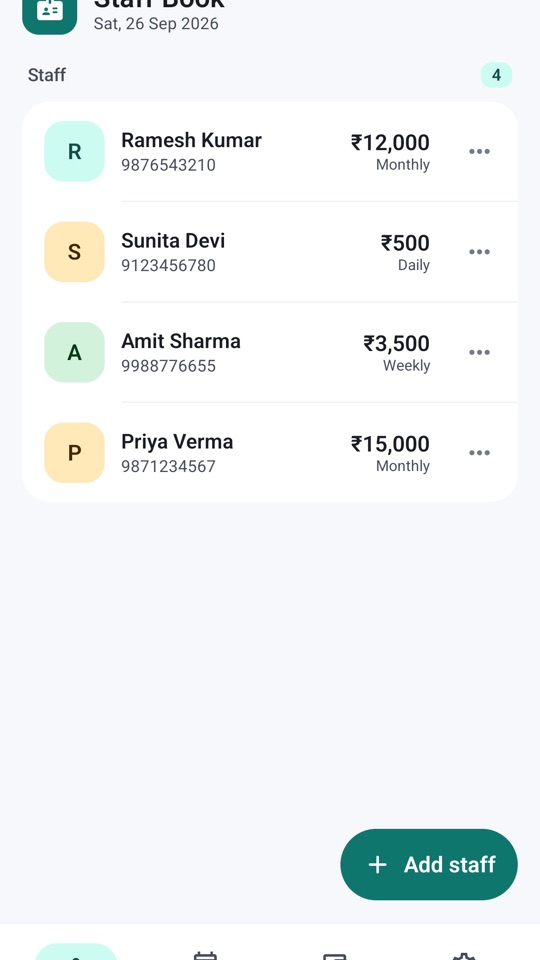
Daily wage, weekly or monthly salary, with an overtime rate per hour. Add a person from your contacts or type them in. Edit or remove anyone any time.
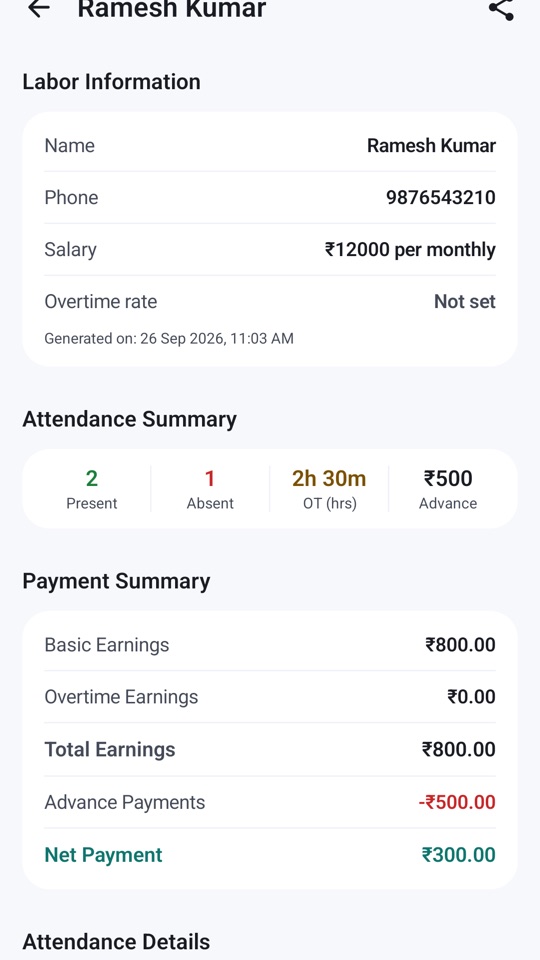
The labour report totals each person's days, overtime earnings and advances into a net payment, with the day-by-day detail underneath. Generate a PDF and share it on WhatsApp.
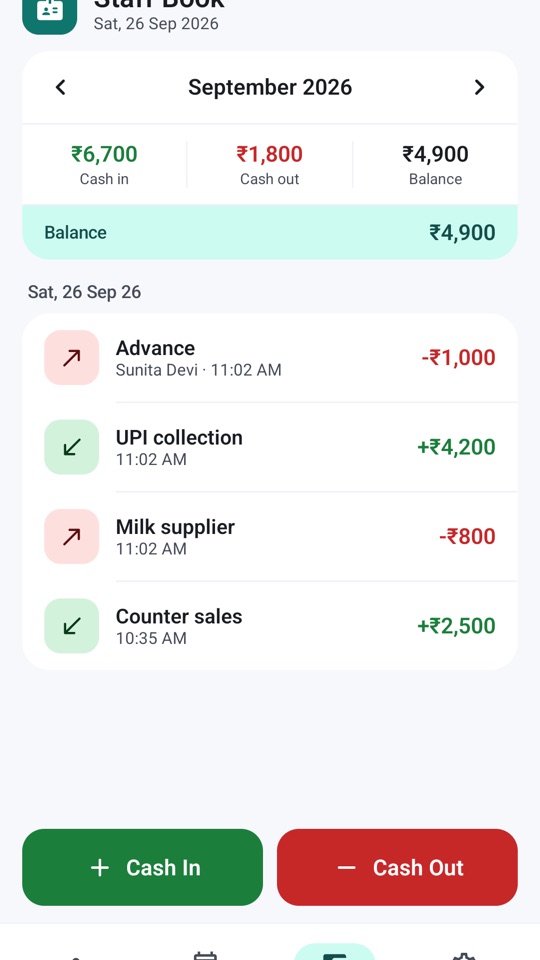
Cash in, cash out, running balance, by month. Link an entry to a staff member when it's a wage or an advance, so the two books agree.
Hindi, Hinglish, Bengali, Tamil, Telugu, Marathi, Gujarati, Kannada, Malayalam, Odia, Assamese, Punjabi and English.
The app doesn't even ask for the internet permission. No sign-up, no OTP, no waiting for a server — open it and mark attendance.
Staff names, numbers, attendance and cash stay in a database on your phone. Nothing is uploaded — the app cannot upload anything — and there is no analytics or advertising inside it. The only permission it ever asks for is Contacts, and only when you tap “Add from contacts”.
Set up in a minute
Name, number, and whether they're paid daily, weekly or monthly. Overtime rate if you pay one.
P, A, OT or Off. Note advances as you hand them over.
Net payment per person, ready to pay and share as PDF.
Aapki bhasha mein
Questions
How is salary calculated?
From what you enter. Daily wage × days present; weekly or monthly salary as set; plus overtime hours × your overtime rate; minus advances paid in the month. The report shows each line so you can check it. It doesn't apply statutory deductions or local wage rules — that part is still yours.
Is it really free?
Yes. No subscription, no ads, no locked features.
Does it need internet or an account?
No. The app has no internet permission and no login. It works the same on a phone with no SIM.
What if I change phones?
Data lives only on the phone, so it does not move across by itself. Share the monthly PDF reports somewhere safe as you go; a backup feature is on our list.
Why does it ask for Contacts?
Only when you tap “Add from contacts”, to pick a name and number instead of typing them. You can decline and add staff manually; the app never reads your contact list otherwise.
How do I delete my data?
Delete a person or entry in the app, or uninstall it to remove everything. See delete your data.
Month end without the arithmetic
Free, with no ads and nothing to sign up for. What the app stores and why is set out in the privacy policy — it is short, because everything stays on your phone.