Know where your money goes every month
Built for anyone with a bank account and a few too many subscriptions — the app reads the SMS you already get and turns them into a picture you can act on.
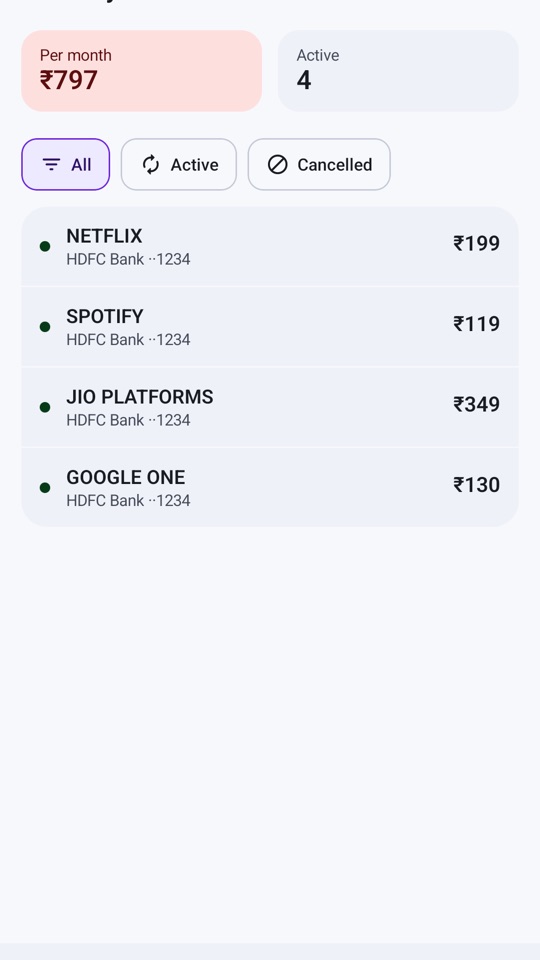
Every active and cancelled UPI autopay and NACH mandate found in your bank SMS — Netflix, Jio, insurance, SIPs, EMIs — with the amount, the account it is charged to and the total per month.
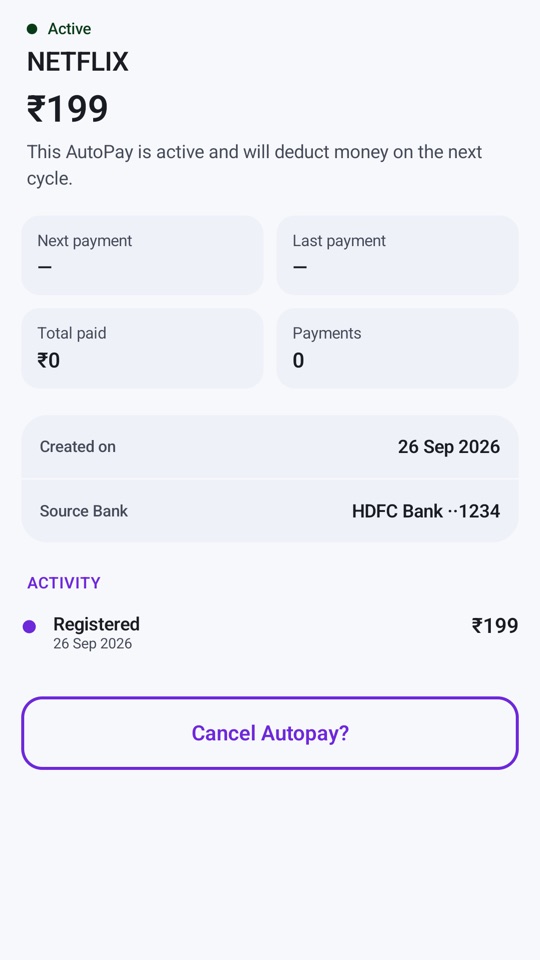
Upcoming debits are listed by date — Today, Tomorrow, Due soon — so a renewal never surprises you. Each autopay shows its history and where it was set up, so you know where to cancel it.
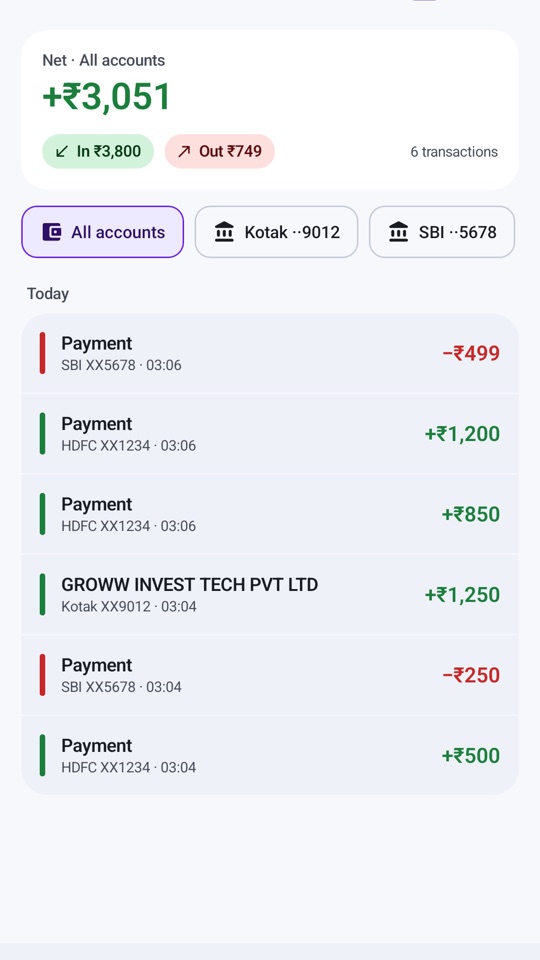
Credits, debits and net balance for every account that sends you SMS, in one list. Filter by bank, tap a transaction for the details.
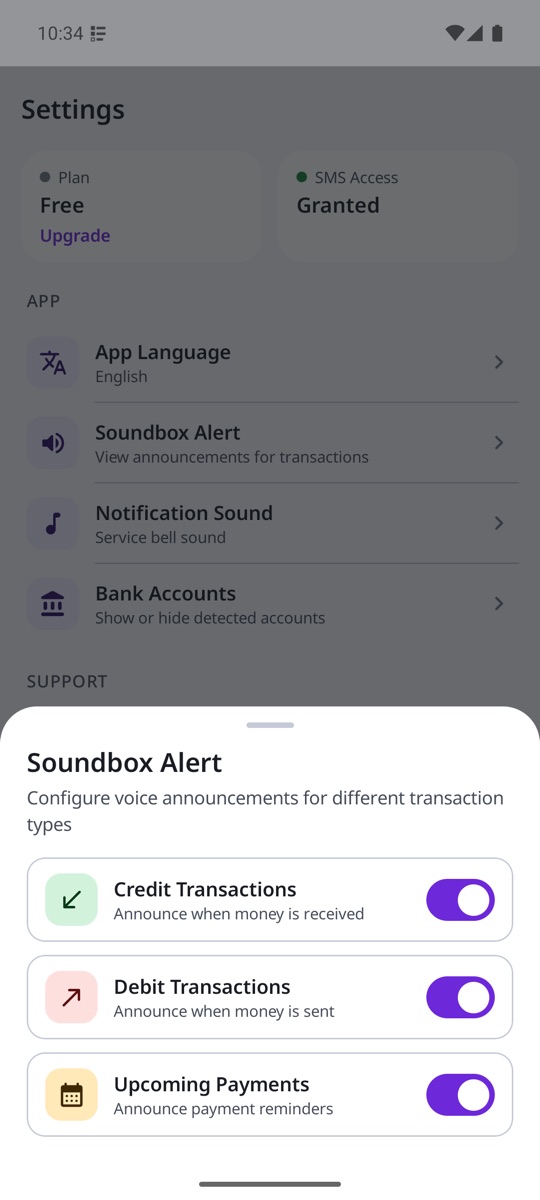
“Debited 199 rupees from HDFC Bank” — spoken the moment the SMS arrives, so you don't have to unlock your phone. Choose which alerts you hear and which chime plays.
Hindi, Hinglish, Bengali, Tamil, Telugu, Marathi, Gujarati, Kannada, Malayalam, Odia, Assamese, Punjabi and English — the alerts and the whole app.
Any bank that sends transaction SMS. Detects autopays set up through Google Pay, PhonePe, Paytm, BHIM or directly with the bank.
Messages are read and understood on the device. Amounts, account numbers and message text are never uploaded; only bank and payment-app messages are used, and personal SMS are ignored. There is no login and no bank password — the app never connects to your bank or UPI account, and it cannot move money.
Ready in a minute
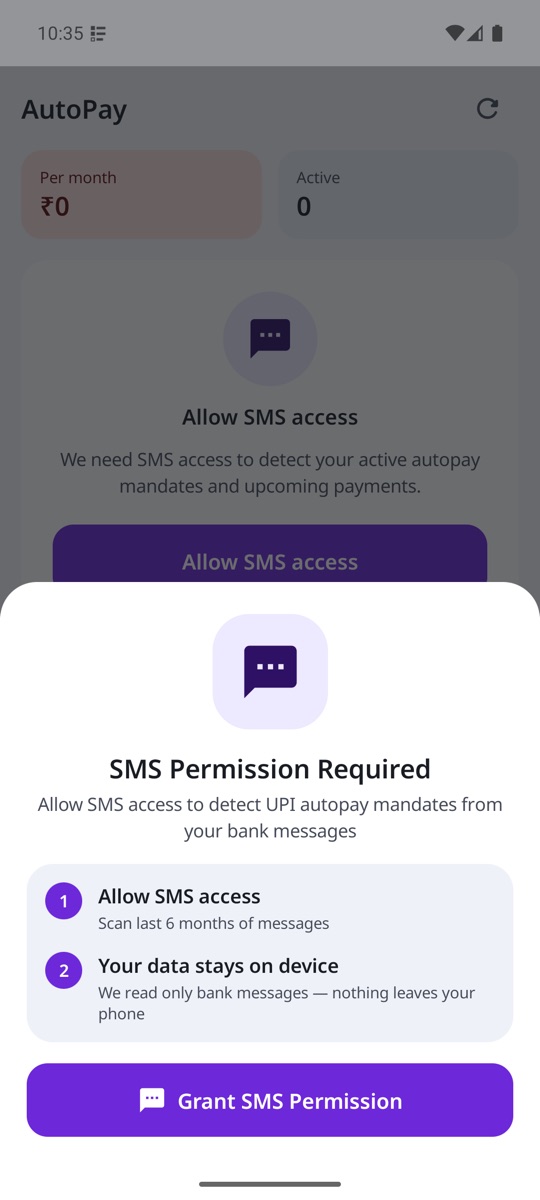
The app explains what it needs before it asks, and builds your history from the messages already on your phone.
Pick from 13 Indian languages. Alerts and the app switch instantly.
This is how the app finds your bank messages. It reads only bank and payment-app SMS.
Existing bank SMS are read once to build your list and passbook. New messages are added as they arrive.
Aapki bhasha mein
Alerts and the whole app in the language you speak.
Questions
Does the app handle my money?
No. It never asks for your UPI PIN, net-banking password, card or account details, and it cannot send, receive or stop a payment. It reads the SMS your bank already sends you and organises them.
Why does it need SMS permission?
Banks tell you about a debit, credit or new mandate by SMS. Receive SMS lets the app process a bank message the moment it arrives; Read SMS lets it read your existing inbox once to build your history. Only messages matching bank and payment-app patterns are used; everything else is ignored and never stored.
Are my messages uploaded anywhere?
No. Reading, parsing and storage all happen on your phone. No SMS text, amount, account number or balance is transmitted off the device. We collect only anonymous usage and crash data — see the privacy policy.
How do I stop an autopay it found?
Use the bank or UPI app where the mandate was created — the autopay's detail screen shows you which. Autopay Tracker keeps the record and marks it cancelled when the bank's SMS confirms it.
A transaction is missing. Why?
The app can only show what your bank sends by SMS. If a bank sends alerts only by email or app notification, or if a message is worded unusually, that transaction won't appear or may be misread. Always rely on your bank's own statement for decisions.
How do I cancel my subscription?
Open Play Store → tap your profile → Payments & subscriptions → Subscriptions → Autopay Tracker → Cancel. You can also reach this from Settings → Plan in the app. You keep access until the end of the period you paid for.
How do I delete my data?
Uninstalling the app deletes everything it stored on your phone. For the anonymous analytics data, see how to delete your data, or write to us at auspoapps@gmail.com.
Never be surprised by an auto-debit again
Start with a free trial, then one simple monthly subscription, billed and managed by Google Play — the exact price and your first charge date are shown before you confirm, and you can cancel any time. What the app stores and why is set out in the privacy policy.